
How To Create A Broadcast Group And Send A Message In Opensis
How to Create a Broadcast Group and Send a Message in openSIS
How to Create a Broadcast Group and Send a Message in openSIS
Creating a broadcast group in openSIS allows you to send messages to multiple users simultaneously, streamlining communication within your school management system. Here’s a step-by-step guide on how to create a group and send a message to that group.
Step 1: Create a Broadcast Group
-
Access the Communication Section:
- Log in to your openSIS account.
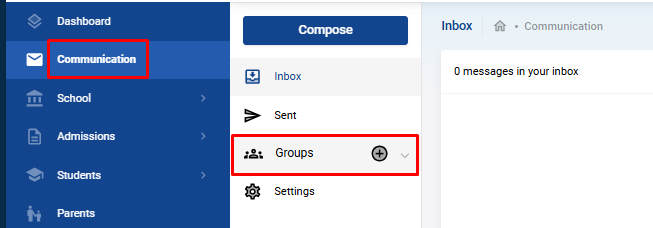
- From the left navigation bar, click on Communication.
- Select Groups from the options.
-
Create a New Group:
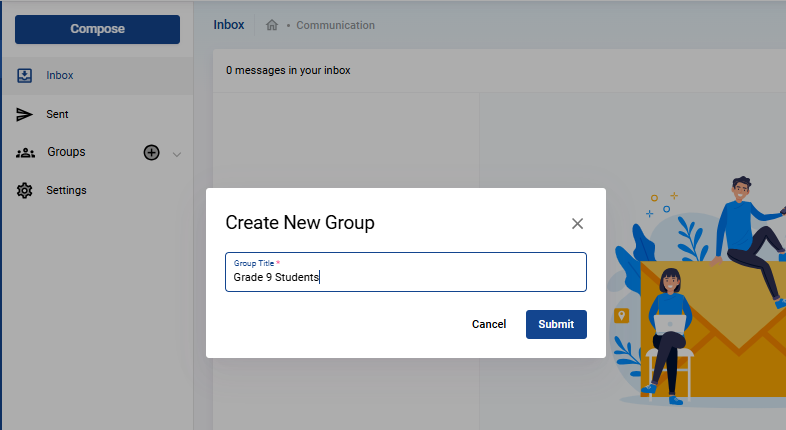
- A modal window will open where you need to enter the Group Name.
- Click Submit to create the group name.
-
Add Members to the Group:
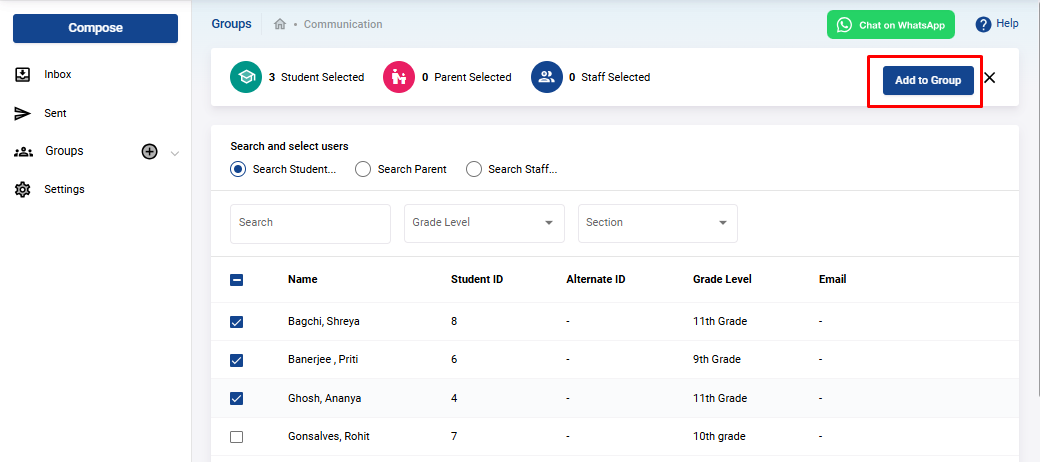
- After creating the group, the next step is to add members.
- You will be presented with a list of students, parents, and staff.
- Use the filters to locate specific users and allocate them to the group.
- Once you’ve selected all the desired members, click Submit to finalize the group.
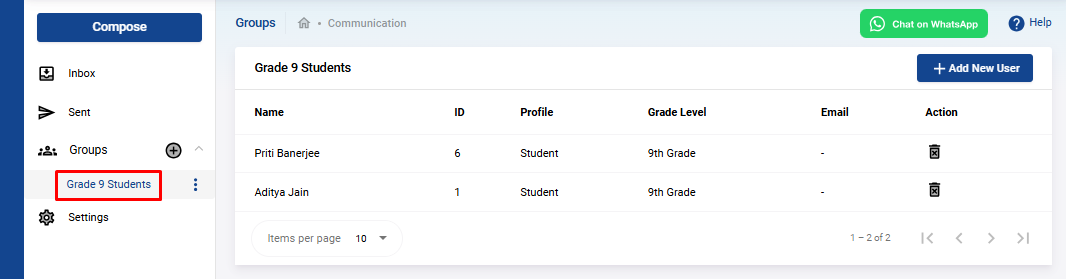
- Your group is now successfully created and will be listed under the Groups section.
Step 2: Send a Message to the Group
-
Compose a Message:
- In the Communication section, click on Compose.
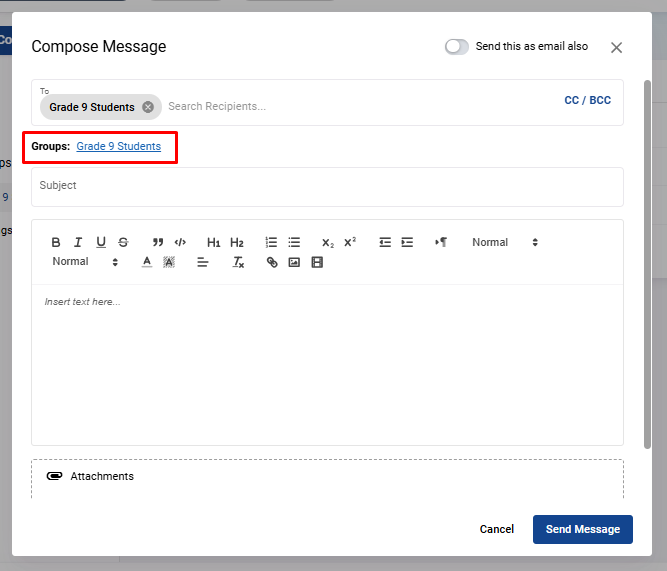
- Under the To field, you will see a list of the groups you’ve created.
- Select the group you wish to send the message to.
-
Write the Message:
- Enter the Subject of the message.
- Compose the Description or body of the message.
- If needed, you can upload any relevant files to attach to the message.
-
Send as Email (Optional):
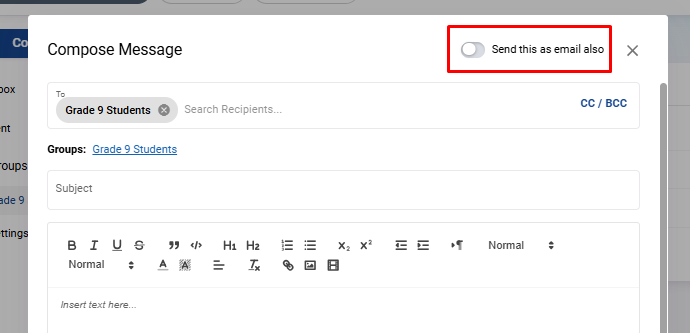
- If you wish to send the message as an email, toggle the button located at the top right corner.
-
Send the Message:
- Click on Send Message , and the message will be sent to all members in the group.
By following these steps, you can efficiently manage group communications within openSIS, ensuring that important messages reach the right audience quickly and effectively.