
How To Assign Fees To One Or More Students
How to Assign Fees to One or More Students
Assigning fees to students in openSIS is a straightforward process that ensures accurate billing and efficient fee management. Here's a step-by-step guide on how to assign fees to one or more students.
Step 1: Access the Billing and Fees Section
-
Log in to your openSIS account.
-
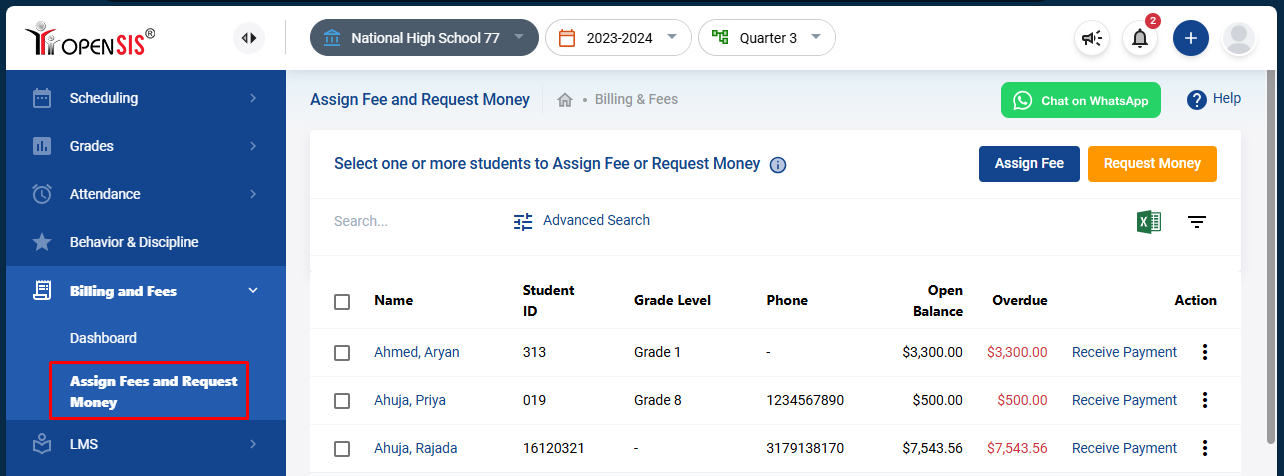
From the navigation menu, go to Billing and Fees.
-
Select the Assign Fees and Request Money sub-menu.
This will bring up a list of students who are eligible to have fees assigned.
Step 2: Select Students
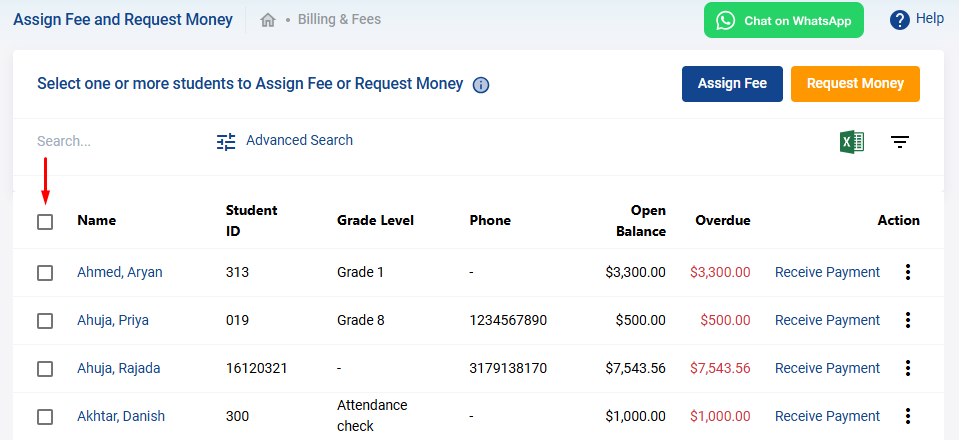
- Review the list of students and select those to whom you wish to assign fees. You can select multiple students if needed.
Step 3: Assign Fees
-
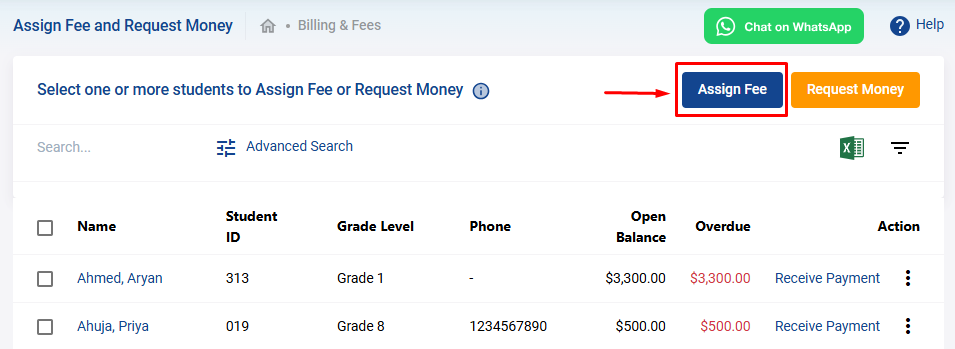
Click on "Assign Fees":
- Once you’ve selected the students, click on the Assign Fees button located at the top right corner.
-
Fill Out the Fee Assignment Form:
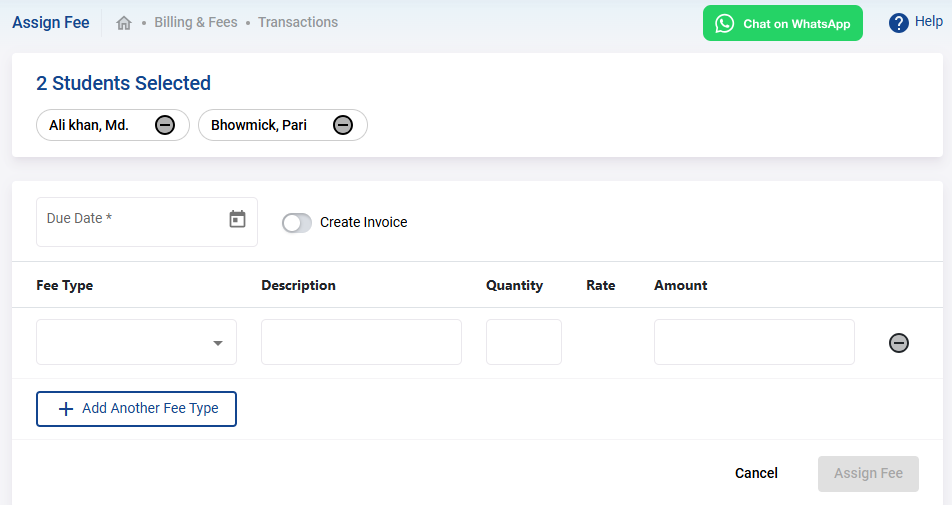
- Fee Type : Choose the fee type from the dropdown menu. The available fee types will be those you have already set up in the billing setup.
- Description : Provide a brief description of the fee being assigned.
- Quantity : Enter the quantity if applicable.
- Amount : The amount will auto-populate based on the fee type setup. However, you can edit this amount if you need to assign a lower fee.
-
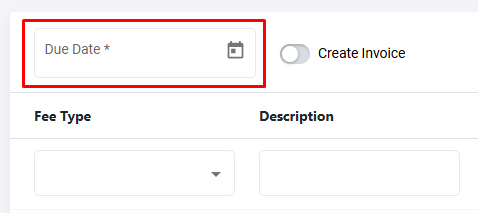
Set a Due Date:
- Enter the due date by which the students are required to pay the fee.
-
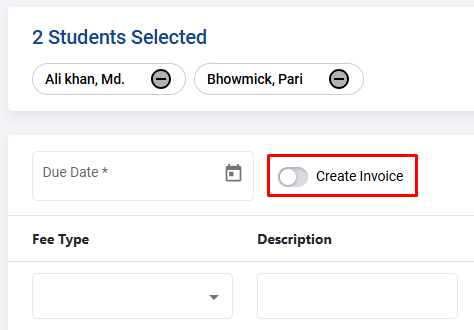
Create an Invoice (Optional):
- If you wish to send an invoice to the students, toggle the Create Invoice switch.
-
Adjust Selections if Needed:
- If you need to remove a student from the list, click the remove icon beside their name.
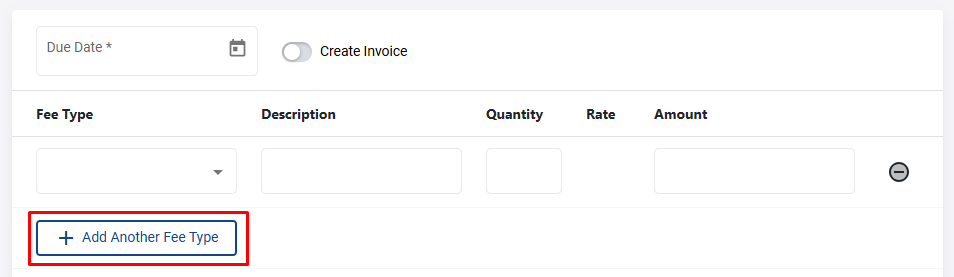
- To assign additional fees to the same group of students, click on the Add Another Fee Type button. This will allow you to add another fee with the same options.
Step 4: Finalize and Assign Fees
Once you’ve completed all the necessary fields and reviewed the information, submit the form to assign the fees to the selected students.
By following these steps, you can efficiently assign fees to one or more students in openSIS, ensuring that billing is accurate and up to date.